Guides
Share coverage across a team and stop double walks
When several people work the same neighbourhood, everyone sees which streets are already done — in the dashboard and in the app.
The problem: the same street twice
As soon as more than one person works a neighbourhood, the same thing happens every time. One street gets walked twice and another not at all. The client finds two leaflets in one hallway and none two streets over — and both get noticed.
The coverage map answers exactly one question: which ground in this area has already been walked? Not by whom, not when — only whether.
In the dashboard
Under Coverage, every route in your account is drawn on one map, colour-coded per carrier, with the commissioned areas outlined on top. The date range at the top decides what counts: the last seven days, thirty days, or everything.
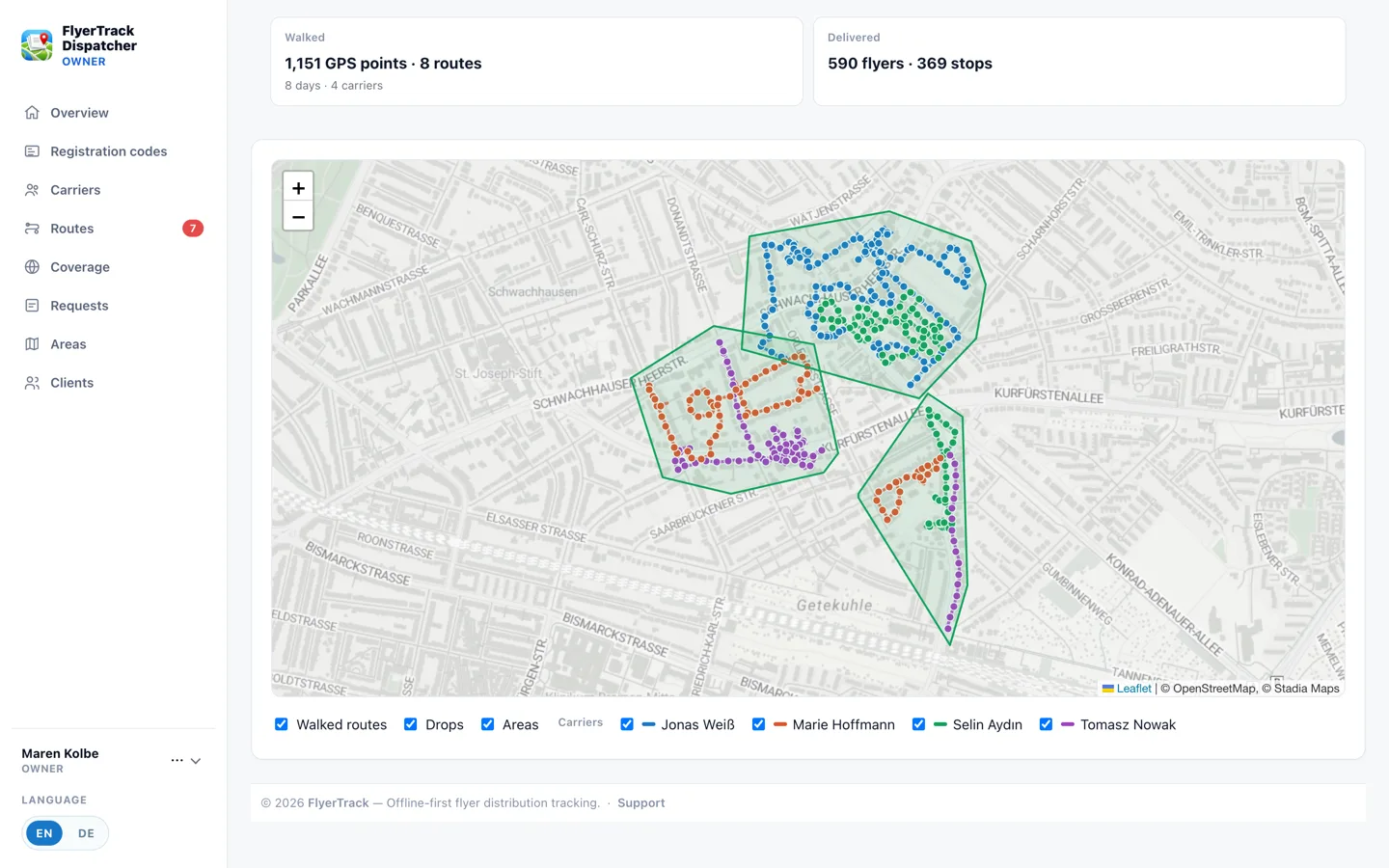
That lets you plan against where someone has actually been, rather than where someone was supposed to be.
In the carrier's app
The second half matters more: the carrier sees the same information in the field. Ground that is already covered is shaded on their job map, and while they walk the app tells them when they are standing on ground that is already done. That is the moment a double walk gets prevented — not in the office that evening.
- Anonymous by construction. The app receives only which ground is covered. Who walked there and when is never sent at all, so one carrier cannot use it to track another.
- Coverage expires. By default only the last 30 days count. That matters: if you re-deliver the same neighbourhood every ten weeks, you do not want last round's shading on the second pass. The window is configurable per account or per area.
- One switch for the whole account. In account settings you decide whether carriers see coverage at all. It is on by default.
One limitation to know about
In-app shading currently depends on a job with a drawn area. A carrier who simply opens the app and starts walking without a job sees no coverage — the dashboard still records their routes either way.
In practice: if you do not currently assign areas to your people, you will need to create jobs to use this. Whether that is reasonable depends on how you work — and we are working on showing coverage without a job as well. If that is the difference for you, tell us; feedback like that is what decides our order of work.
Try it on your own area
The free tier is enough to run the whole workflow with a single phone. No card required.
Create a free account